Beads: A Task Memory for Coding Agents
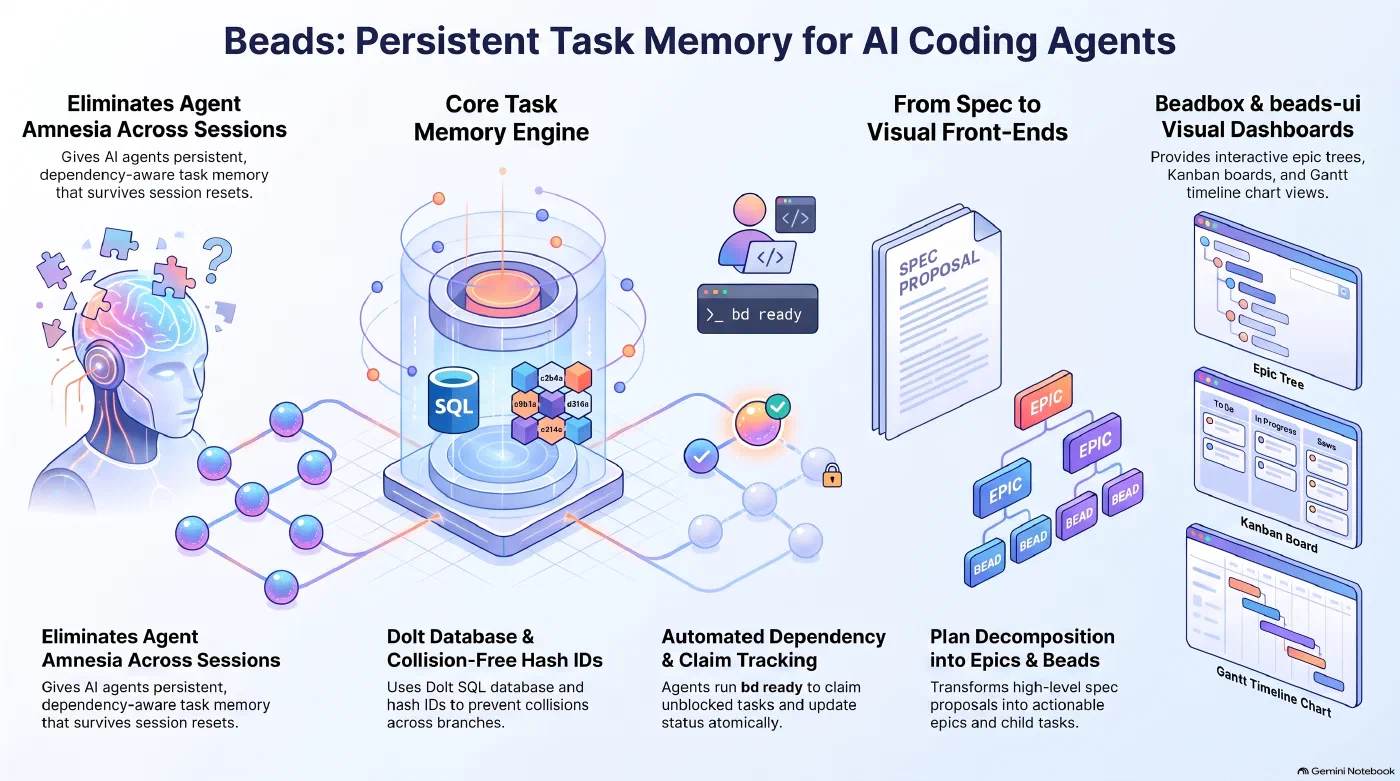
Beads at a glance: task memory in a Dolt database, dependency tracking, plans broken into epics and beads, and views in Beadbox or beads-ui - AI generated
Introduction
This is the second post in my series on how my development workflow has changed. The first post introduced OpenSpec, which turns an idea into a written proposal with a task list. This post covers Beads, the tool I use to turn that task list into work packages that coding agents pick up one at a time, across sessions and across machines.
Why Agents Need a Task Memory
A coding agent starts every session with an empty memory. Unless someone wrote it down, the agent no longer knows which tasks are done or what comes next. Plans in Markdown files help for a while, but someone has to keep them current, and a Markdown file does not know that one task blocks another.
Beads gives the agent a structured memory outside of its context window. It is an issue tracker built for coding agents, written by Steve Yegge, who co-wrote the book Vibe Coding with Gene Kim (my review
). The project calls itself “a memory upgrade for your coding agent”. Agents work with it through a command-line tool called bd, and so do I.
Each work item is a bead. Beads are grouped under epics and have a type such as bug, feature, task or chore. A bead carries a status (open, in progress, blocked, deferred or closed) and a priority from 0, the highest, to 4. It can also have an assignee, a due date and a time estimate. Dependencies connect the beads: if one bead blocks another, the second one is not ready until the first is closed. IDs are short hashes like demo-0rc, and child beads are numbered below their parent (demo-0rc.1). Hash IDs prevent collisions when agents on different branches create beads at the same time.
Beads stores everything in Dolt, a SQL database with Git-style version control, embedded in a .beads/ folder in the repository. To move the issues between machines, Beads pushes the database to the same Git remote as the code, but separately from it. A plain git push does not carry the issues. bd dolt push does. This is the default setup, and the one I use. Two other setups are documented. bd init --contributor is meant for forks of someone else’s project: it routes planning issues to a separate repository (~/.beads-planning by default), so they stay out of pull requests. bd init --server connects the project to a shared dolt sql-server instead of the embedded database, which lets several writers work against the same issues at once.
Installing Beads
Beads is available through Homebrew:
brew install beads
In the project folder, bd init creates the database, and bd setup connects Beads to the coding agent:
cd my-project
bd init
bd setup claude    # or: bd setup codex
After bd setup claude, hooks run bd prime when a Claude Code session starts and around context compaction. bd prime gives the agent the current workflow context. Among other rules, it tells the agent to create a bead before writing code and not to keep task lists in Markdown files. For the human side, bd quickstart prints a short guide to the most common commands.
From Plan to Work Packages
Creating beads by hand looks like this, with an epic for a login feature and two beads below it, one blocked by the other. bd create prints the ID of each new bead, which the later commands use.
bd create "User login" -t epic -p 1
bd create "Login form" -t feature -p 1 --parent demo-0rc --estimate 90
bd create "Session handling" -t task -p 2 --parent demo-0rc --deps blocked-by:demo-0rc.1
bd ready lists everything that has no open blockers. Here, it shows the epic and the login form, while the session handling waits for the form. An agent claims a bead with --claim, which sets the assignee and the status in one step, and closes it when the work is done:
bd ready
bd update demo-0rc.1 --claim
bd close demo-0rc.1
In practice, I rarely type bd create myself. I hand the agent a plan, either from OpenSpec or from Claude Code’s plan mode, and ask it to break the plan into epics and beads. The commands I do type are bd list and bd ready, to see where the project stands.
Seeing the Plan: beads-ui and Beadbox
A dependency graph is hard to read in a terminal. Two front ends help with that. Both read and write the data only through the bd command, so they keep working when the storage underneath changes.
beads-ui is a local web interface. It shows the issues as a filterable list and as a board with columns for blocked, ready, in-progress and closed work. It starts from the project folder:
npm install -g beads-ui
bdui start --open
Beadbox is a native desktop app for macOS and Linux, free during its beta and without an account. Besides the issue list, it shows the epic tree with completion percentages and a Chart view that draws the beads of an epic as a timeline with their dependencies. On macOS, it installs through Homebrew. For Linux, there is a .deb package on the GitHub releases page.
brew install --cask beadbox/cask/beadbox
Full disclosure: I designed and built the Chart view, which shipped with Beadbox v0.28.0 in October. Beadbox is the tool I use most to look at my beads.
Conclusion
Beads moved the state of my projects out of the agents’ heads and into a database that survives a reboot or a switch to another machine. It also gives me a plan I can look at and steer, from how far each epic has come to what an agent can pick up next. In the next post, I introduce Worktrunk, which makes it practical to let several agents work through those beads at the same time.
References
Author: Dr. Stephan Michard
Words: 1040